
OpenAI has launched Businesses in ChatGPT, giving eligible businesses a way to claim their profiles and manage information about their business.
For law firms, the first step is to see whether your firm has a profile available to claim.
Here's how to get started and what to review before your information goes public.
Then we'll get into the part that matters most: the performance data you unlock, what our own numbers look like, what the profile is actually good for, and where we think this is headed.
Before You Start
Availability can vary by business category, so you'll need to check whether your firm is eligible in Business Hub.
The person claiming the profile should be an owner or an authorized representative of the firm.
Have these things ready:
- Your firm's exact name, website, business email, and phone number
- Access to the person who manages your website domain
- Your logo and an approved description of the firm
- Current practice areas, office details, and contact information
- A person at the firm who can approve public-facing information
Keep client names, case files, medical records, and other confidential information out of the setup materials.
Step 1: Open Business Hub And Search For Your Firm
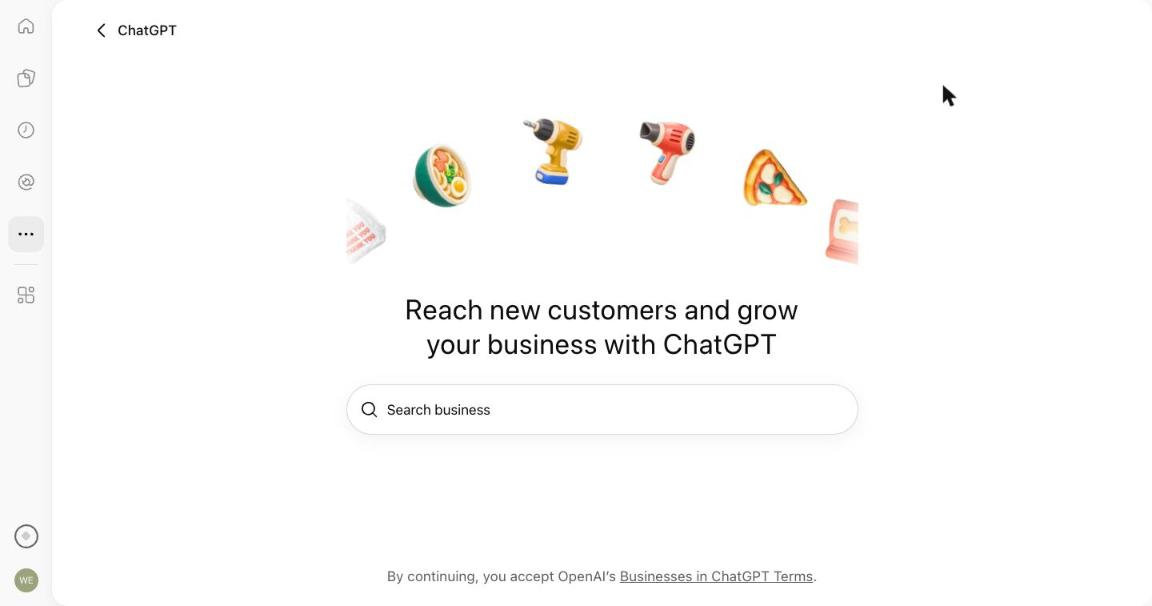
Sign into the ChatGPT account you want to use to manage the firm, then open Business Hub.
Search for your firm by name and select the matching listing.
Check the website and location carefully, especially if another firm has a similar name or you have multiple offices.
If your firm doesn't appear, look for an option to add a business. That option may not be available to every business.
Step 2: Verify Your Connection To The Firm
Follow the prompts to claim the listing.
Depending on what OpenAI offers, you may be able to verify using a business phone number, business email address, or domain.
For domain verification, you'll be asked to add a DNS TXT record.
If you don't manage your domain, send the instructions to your website administrator. Ask them to add the record without changing your existing website or email settings.
Step 3: Complete The Approval And Identity Checks
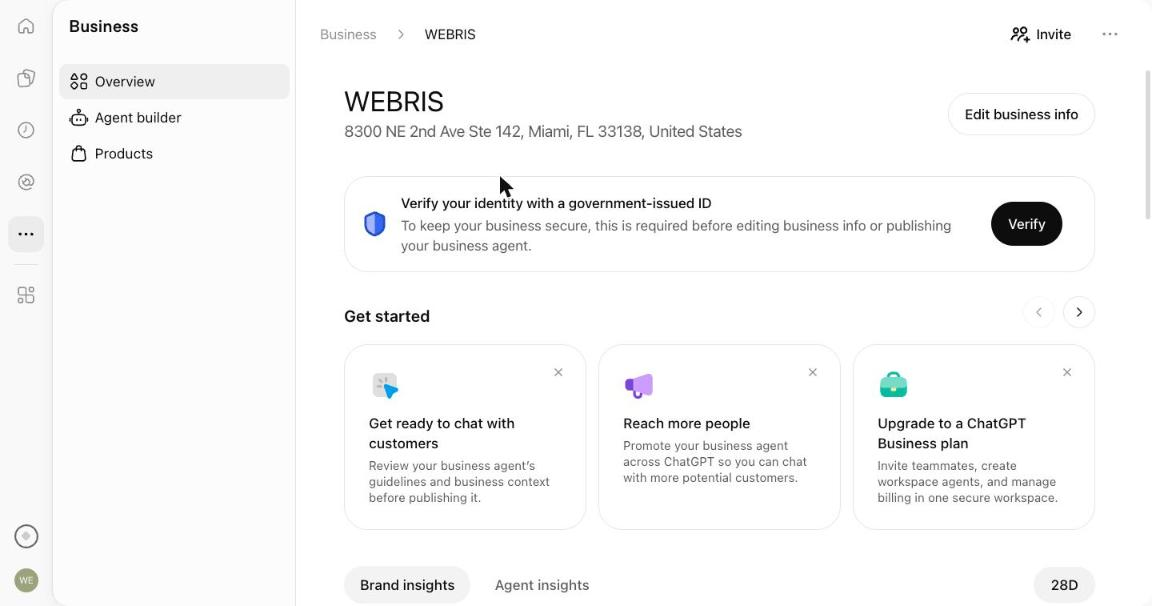
Follow the prompts for claim approval and identity verification.
OpenAI uses Persona for identity verification. It may request identification, business registration details, or evidence that you're authorized to represent the firm.
Important: OpenAI says a newly created profile is published automatically after Persona approval.
Published profiles cannot be unpublished or deleted through the setup process. Review the information before completing that step.
Step 4: Review Your Firm's Information
Once your claim is approved, review the fields available in Business Hub and make sure they accurately describe your firm:
- Practice areas and the types of matters you handle
- Office locations and the areas you serve
- Your website, phone number, and other contact details
- Consultation information, where applicable
- Attorney credentials and any statements about results
Be specific and factual. Don't add unsupported claims, fabricated endorsements, or promises about case outcomes.
Have an attorney review the content against the advertising rules that apply to your firm.
For example, a simple description could be:
"[Firm name] represents clients in [location] in matters involving [practice areas]. Visit our website to learn about our attorneys and contact the firm."
If you've already tightened up your Google Business Profile, start from that copy. The same facts belong in both places.
Step 5: Set Up Access For Your Team
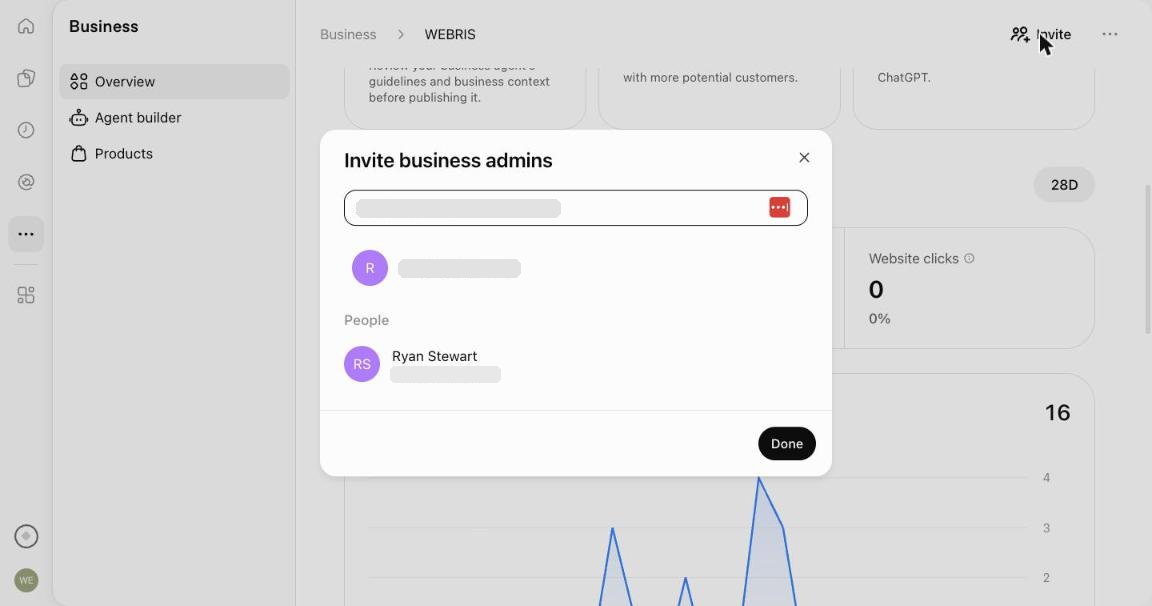
Use the teammate or agency invitation options in Business Hub rather than sharing passwords.
Keep a record of the managing account and who is responsible for reviewing updates.
If your firm has multiple offices, check each location separately. Claiming the main brand does not automatically claim every office location.
Step 6: Decide Whether To Set Up A Business Agent
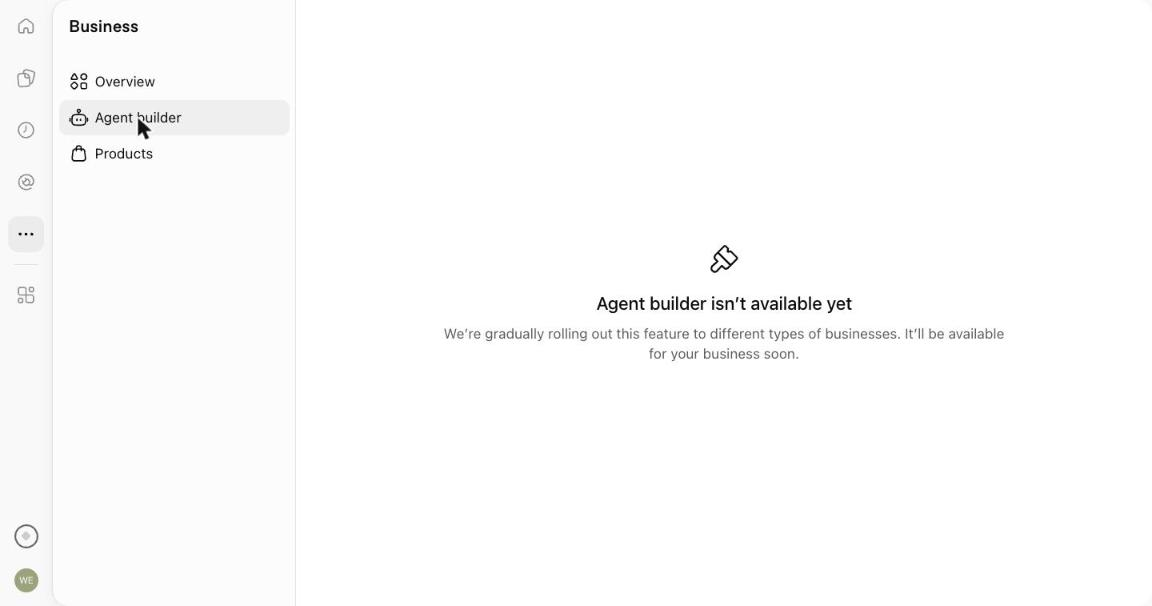
Business Agents are a separate feature.
OpenAI says they're initially available to eligible U.S. ecommerce and online-service businesses. Claiming a profile does not mean a law firm is automatically eligible for an agent.
If the option is available to your firm, review the agent's information and test its answers before publishing it. Start with basic questions about your services and how to contact the office.
Test questions asking for case-specific legal advice, too.
OpenAI's policy prohibits agents from providing advice that requires a professional license. An agent should not act as an attorney, promise results, or ask people for unnecessary sensitive information.
What If Your Profile Is Already Claimed?
If someone else has claimed your firm's profile, use the Dispute ownership option.
If the profile is locked, use Contact support.
Avoid creating a duplicate listing.
How To Read Your ChatGPT Performance Data
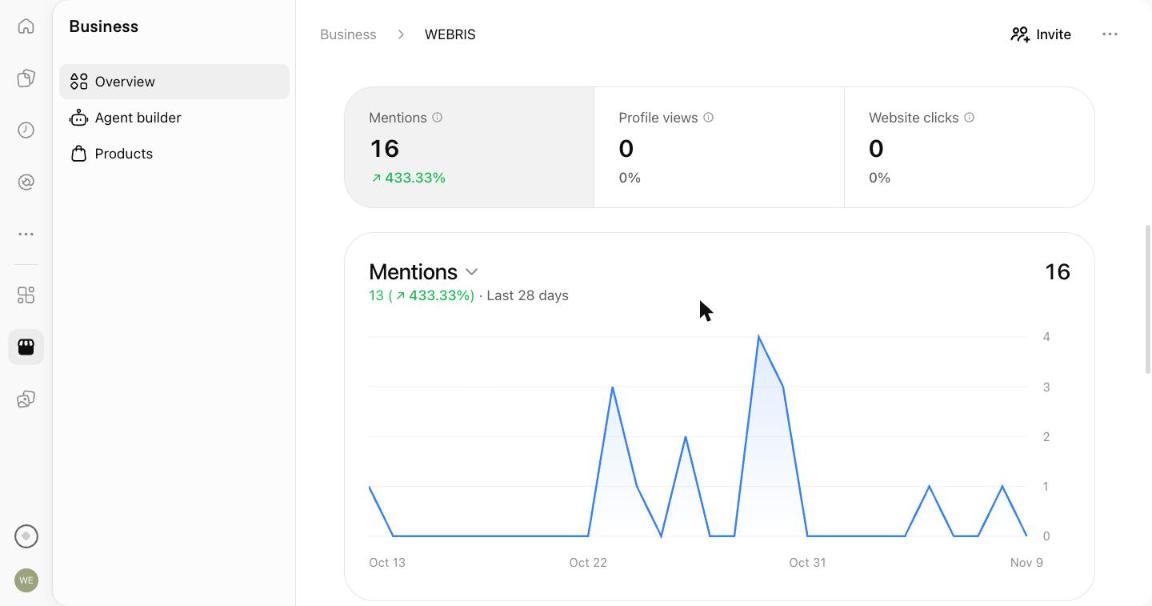
This is the real reason to claim the profile.
For two years, nobody outside OpenAI could tell you how often ChatGPT mentioned a business. You bought a tracking tool, it ran sample prompts, and it gave you an estimate.
Business Hub is the first time that number comes from OpenAI itself.
You get three numbers on the Brand insights tab, each with a 28-day trend:
| Metric | What it counts | What it tells you |
|---|---|---|
| Mentions | Times your firm appeared in a ChatGPT response, citations included | Whether ChatGPT knows you exist, and whether that's growing |
| Profile views | Times someone opened your business profile inside ChatGPT | Whether a mention made someone curious enough to look closer |
| Website clicks | Recorded clicks on links to your website inside ChatGPT | Whether anyone left the chat to come to you |
Pay attention to the fine print on that last one. OpenAI's own tooltip says: "Clicks don't confirm website visits or conversions."
So a click here is a click. It's not a session in GA4, and it's definitely not a lead.
What Our Own Numbers Look Like
Here's ours, for the 28 days ending November 9:
- 16 mentions. Up from 3 in the 28 days before, which Business Hub reports as +433%.
- 0 profile views.
- 0 website clicks.
I'll be honest. Those are tiny numbers, and a 433% jump from 3 to 16 means nothing statistically.
But there are three things in that chart worth your attention.
1. The data goes back before the claim. Business Hub launched on November 10. Our chart starts October 13.
ChatGPT was already counting how often it mentioned us. Claiming the profile didn't start the tracking. It just let us see it.
That's true for your firm too. The numbers exist right now. You just can't look at them until you claim.
2. Mentions are lumpy. We had zero mentions on 20 of the 28 days. Seven of the 16 landed on two back-to-back days at the end of October.
We don't know what caused that spike. Don't read a single week. Read the 28-day number, month over month.
3. Sixteen mentions produced zero clicks. Read that again.
ChatGPT talked about us 16 times and nobody clicked through. Part of that is the profile being brand new. Most of it is how people use ChatGPT: they get the answer in the chat and never visit a website.
This is the same thing that's happening to your Google traffic, and we broke it down in why law firm website traffic is falling.
For a law firm, it means you can't measure ChatGPT by website clicks. A prospect can see your firm named in an answer, open Google, search your name, and call. Business Hub will show a mention and nothing else.
The fix is boring. Ask every new lead how they found you, and write down "ChatGPT" when they say it. That intake question is still the only place a mention turns into a number you can tie to signed cases.
Discovery Topics: The Report To Watch
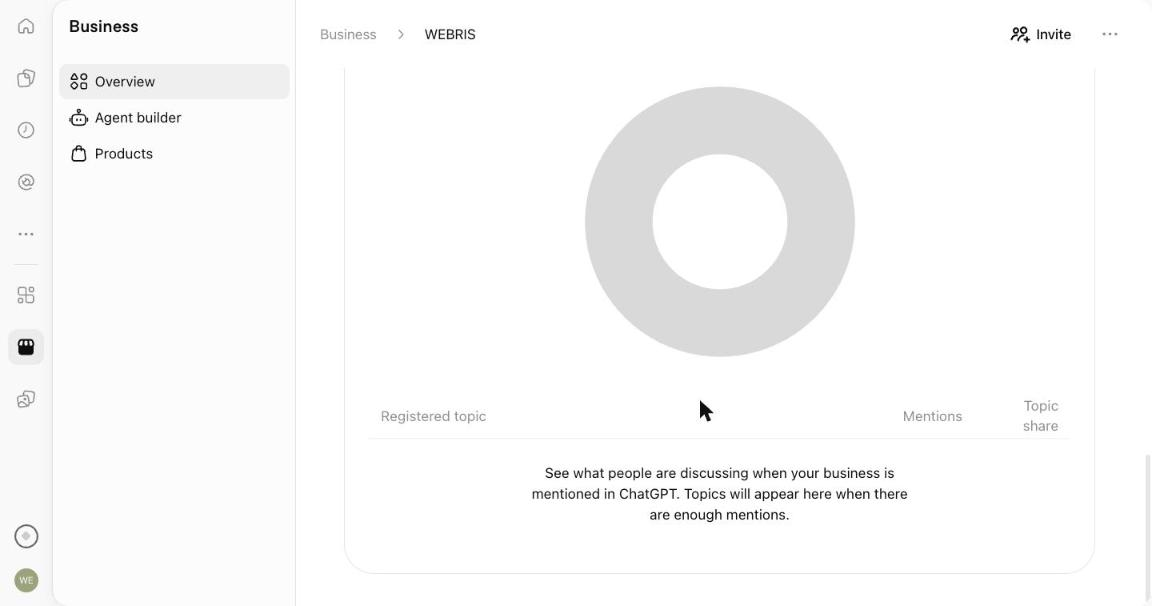
Below the chart is a panel called Top 5 discovery topics.
It's meant to show what people were discussing when ChatGPT brought up your business, with a mention count and a share for each topic.
Ours is empty. The panel says topics appear once there are enough mentions, and 16 isn't enough.
When it fills in, this is the closest thing to a keyword report that ChatGPT has ever given anyone.
If you're a personal injury firm and your top topic is "truck accident lawyers in Houston," you know what ChatGPT associates you with. If it's something you don't even handle, you know your public information is sending the wrong signal.
Website Access: The One You Can Fix Today
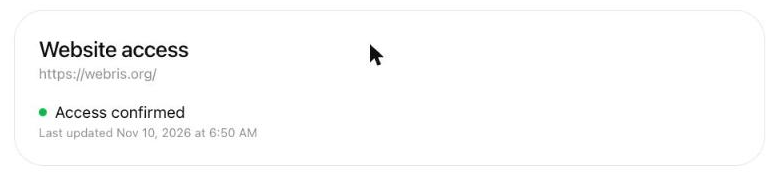
The last panel is Website access. It shows whether ChatGPT has been able to read information from your website.
Ours says "Access confirmed."
If yours doesn't, start there. A site that blocks OpenAI's crawlers in robots.txt, or sits behind an aggressive firewall rule, is a site ChatGPT can't learn from.
It's the only item on the page your web person can fix in an afternoon.
How To Use The Numbers
- Screenshot your baseline the day you claim. You can't show growth without a starting point.
- Check monthly, not daily. The daily line is too noisy to act on.
- Line it up against what you changed. New reviews, press, a rebuilt practice area page. Did mentions move the month after?
- Compare it to intake. Mentions going up while "found you on ChatGPT" stays flat means you're being named, not chosen.
- Don't report it as a win by itself. A mention is not a recommendation, and a recommendation is not a signed case.
For how this fits with GA4, Search Console, and the third-party trackers, see every AI search data source explained.
What To Use The Profile For
Here's the short version. Right now the profile is good for four things.
1. Giving ChatGPT the facts straight from you. Name, address, phone, website, practice areas.
ChatGPT has been piecing those together from your website, directories, and whatever else it could find. Now there's a field where you tell it directly.
Consistency across profiles is one of the things that gets a firm cited in ChatGPT in the first place. This is one more profile that has to match.
2. Seeing first-party visibility data. Everything in the section above. It costs nothing but the setup time.
3. Locking down the listing. If a former employee, an old agency, or a competitor with a similar name claims it first, you're filing a dispute instead of managing your profile.
4. Being ready for whatever ships next. Every feature OpenAI adds for businesses is going to hang off this profile. More on that below.
And here's what it's not for.
- ❌ It doesn't make ChatGPT recommend you. OpenAI hasn't said claiming affects answers, and nothing in our account suggests it does.
- ❌ It doesn't replace reviews, press, or content. Those are still what earn the mention.
- ❌ It isn't a lead source yet. Zero clicks, remember.
Where We Think This Is Going
This part is opinion. The product is one day old, and I could be wrong about all of it.
But I've watched this movie before. It looks a lot like the early days of Google Business Profile.
Back then it was a free listing most firms ignored. Then it became the thing that decided who showed up in the Maps pack, and the firms that had filled theirs out early had a head start nobody could buy back.
Here's where I think ChatGPT takes this.
The profile becomes the record ChatGPT trusts. When your website says one thing and a directory says another, a verified profile is the obvious tiebreaker.
The fields get deeper. Today it's basic business information. I'd expect hours, service areas, attorneys, and some form of reviews to follow, because that's what a person asking for a lawyer actually wants to know.
Agents open up to more industries. Our Agent builder tab says the feature is rolling out gradually to different types of businesses.
Law firms will be late to that list. The policy against agents giving licensed professional advice makes legal a hard category, and I'd expect intake-style agents (hours, practice areas, "here's how to reach us") long before anything that touches a case.
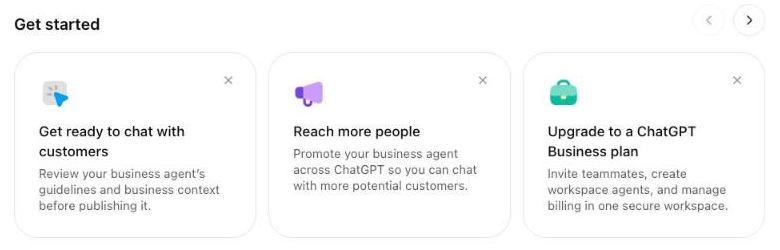
Paid and organic end up in one place. Look at the screenshot above. On day one, Business Hub is already nudging you to promote your agent across ChatGPT.
OpenAI already runs an Ads Manager, and ChatGPT ads have been open to law firms since August. A profile, an insights dashboard, and an ad account for the same business is the same stack Google built.
Discovery topics become the report everyone optimizes for. Once firms can see which conversations they show up in, they'll start building content and reputation around the ones they want.
I know what you're thinking. "So should I drop everything and focus on this?"
No. Claim it, record your baseline, and go back to the work that earns mentions. That's still GEO: reviews, authority, consistency, and content that proves you handle the cases you want.
The firms that win here won't be the ones who claimed first. They'll be the ones who claimed first and gave ChatGPT a reason to bring them up.
What To Do After Setup
Review the available Business Hub insights and keep the profile current as your firm changes offices, practice areas, contact details, or consultation policies.
Claiming a profile does not guarantee that ChatGPT will recommend your firm.
The immediate goal is to give OpenAI accurate business information and make sure someone on your team is responsible for maintaining it.
Sources: OpenAI's announcement, Business Hub setup guide, and Business Agents policy. Performance data and screenshots are from the WEBRIS Business Hub account, November 10, 2026.