
If your personal injury law firm isn’t using a CRM, you’re leaving money on the table.
There’s a lot of garbage leads in the injury space - you need to be able to stay on top of them and manage them properly if you’re going to sign clients.
That’s where a CRM (Customer Relationship Management system) comes in.
Whether you're running Facebook Ads, investing in SEO, or just relying on referrals, a CRM helps you track, follow up, and convert leads more effectively.
In this guide, we’ll walk you through everything you need to know to choose, implement, and maximize a CRM for your personal injury law firm.
What Is a CRM — and Why Does Your Law Firm Need One?
A CRM is more than just a contact database. It’s the system that manages every lead, tracks every follow-up, and shows you where your cases come from.Without a CRM:
- Leads get lost or forgotten
- Follow-ups fall through the cracks
- Intake teams miss opportunities
- You have no idea what marketing is working
- Your intake team stays organized
- Follow-up is automated and consistent
- You close more qualified cases
- You have full visibility into your pipeline
Choosing the Right CRM for Your Injury Law Firm
Here’s a side-by-side comparison of the most popular CRMs for lawyers:| CRM | Best For | Pricing | Key Benefits |
| Lead Docket | PI firms with high volume | ~$400+/mo | Built for legal intake, integrates with Filevine |
| Clio Grow | Firms already using Clio | ~$69/user/mo | Seamless with Clio Manage, intake forms, e-sign |
| Lawmatics | Firms needing automation | ~$200+/mo | Drip email, workflows, form builder, calendar |
| Case Status | Firms focused on client experience | Custom | Client communication + status updates |
| HighLevel (GoHighLevel) | DIY setups and agencies | ~$97+/mo | CRM + automations + funnels in one |
| HubSpot | Larger firms or agency-supported | Free–$$$ | Advanced reporting, powerful automations |
| Zoho CRM | Budget-conscious firms | Free–$50/mo | Versatile but not legal-specific |
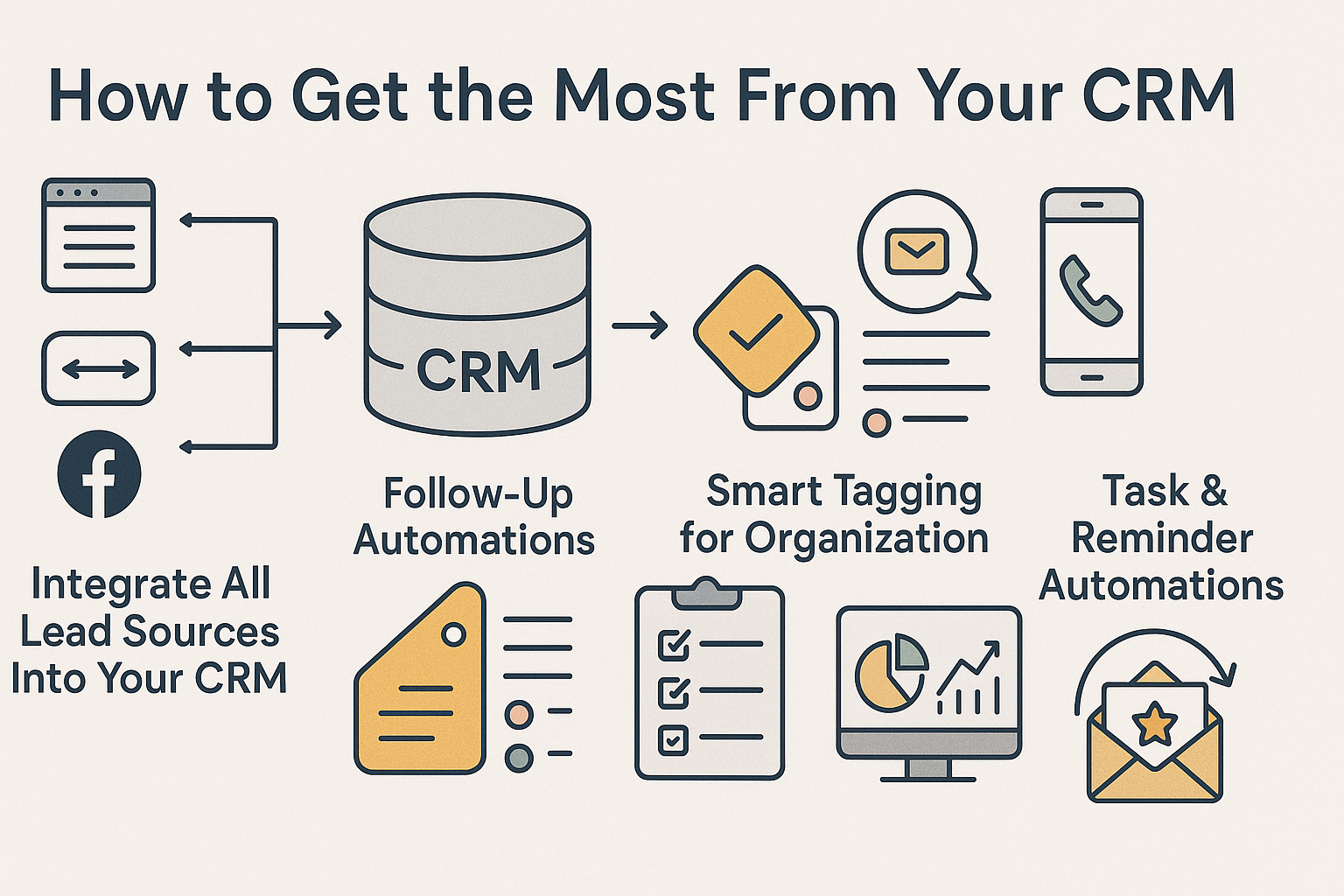
How to Get the Most From Your CRM (Advanced Setup + Automations)
Setting up a CRM is just step one. The power comes from what you do with it — automating repetitive tasks, guiding your team, and ensuring no lead gets forgotten.Here’s a full breakdown of how to take your CRM from basic to bulletproof.
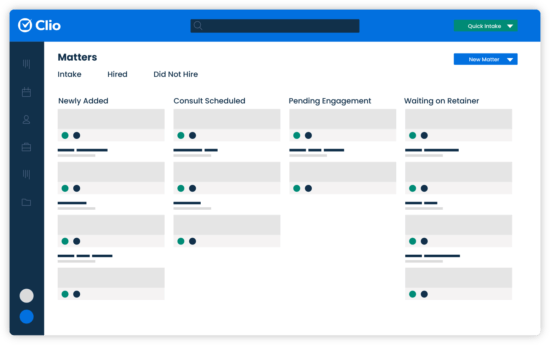
Once you choose a CRM, the setup is everything. You need a pipeline that mirrors how your intake team handles leads — from contact to contract.
1. Pipeline Stages for Personal Injury Firms
| Stage | Description |
| Spam (🟤) | Filters out junk leads and bots |
| Not Qualified (🔴) | Leads outside your criteria or jurisdiction |
| No Answer (🌸) | Tried to reach them, no response yet |
| Chase (🟠) | Warm leads needing follow-up |
| Qualified – In Progress (🟡) | Under review or intake in progress |
| Qualified – Rejected (🟢) | Good lead, but you passed |
| Converted (🟢) | Signed client or active case |
2. Integrate All Lead Sources Into Your CRM
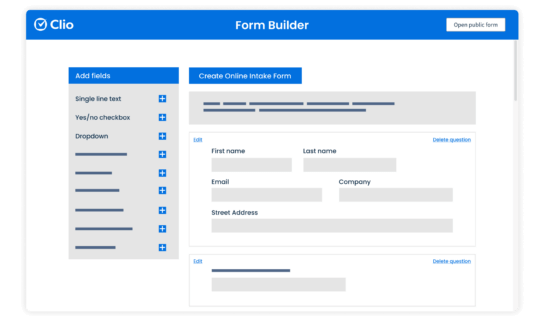
Your CRM should be the central hub for every lead. That means:- Web Forms: Use embedded forms (from your CRM or tools like Typeform, Gravity Forms, or HighLevel) on landing pages. Each submission should automatically create a contact and deal in your CRM.
- Call Tracking: Connect CallRail or similar. Every call should create a contact or update an existing one.
- Chatbot / Live Chat: Connect Drift, Intercom, or GoHighLevel’s chat widget so chats flow into your CRM.
- Facebook Lead Ads: Use Zapier or native integrations to automatically send leads from Facebook into the CRM with timestamps and campaign attribution.
3. Set Up Follow-Up Automations (Email + SMS)
Leads are most likely to convert if you follow up fast and consistently. Here are the key automations every firm should use:Immediate Response Sequence (Triggered on New Lead)
Trigger: New contact added → Pipeline Stage = "No Answer"
Action:
- Send instant SMS:“Hi , this is from . We just got your inquiry — when’s a good time to talk?”
- Send instant email with a case intake link or scheduler.
- Create a task for the intake team to call within 5 minutes.
Trigger: Contact remains in "No Answer" for 24+ hours
Action:
- Day 1: Send reminder SMS: “Hi , just checking in. Did you still want to speak with a lawyer about your case?”
- Day 2: Send email with subject: “Still need help after your accident?”
- Day 3: Auto-move to “Chase” stage + create task for manual follow-up.
"Chase" Nurture Sequence (Leads that ghosted)
Trigger: Deal stage = “Chase”Action:
- Weekly SMS + email for 3 weeks
- Share FAQs: How PI lawyers get paid, how long cases take
- Offer free consultation again
- Ask: “Is anything holding you back from moving forward?”
4. Use Smart Tagging for Organization
Tagging leads allows for segmenting and custom workflows. Examples:- case_type: car accident, case_type: slip and fall
- source: Facebook, source: Referral, source: LSA
- status: needs follow up, status: sent contract
5. Build Task and Reminder Automations
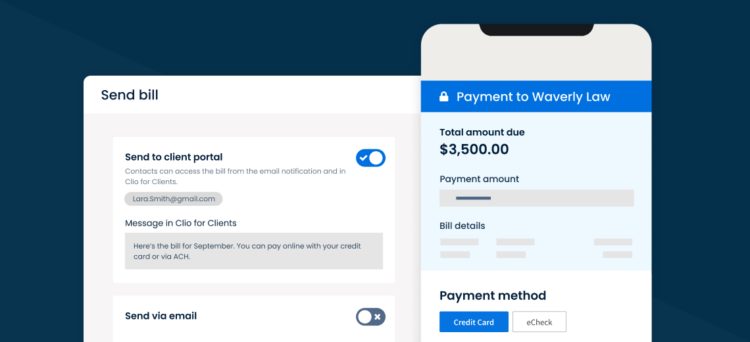
Keep your intake team accountable by automating internal reminders.Example: Follow-Up Task Automation
Trigger: Contact added to CRM → No contact after 24 hoursAction:
- Assign task to intake team member: “Follow up with today”
- Email summary to manager: “3 leads haven’t been contacted in 24 hours”
Example: Intake Deadline Alerts
Trigger: Deal in “Qualified – In Progress” for more than 3 daysAction:
- Send Slack or email alert: “Reminder: hasn’t been signed yet — check status.”
6. Review Weekly Reports + Dashboards
If you’re not reviewing data, your CRM becomes a dead zone.Key reports to review weekly:
- Lead Volume by Source (FB, LSA, Organic, Referrals)
- Lead → Signed Conversion Rate
- Time to First Contact
- Deals Stuck in “Chase” or “No Answer” for 7+ days
- Qualified Leads Rejected – Why?
7. Advanced: Retargeting + Reactivation Campaigns
Use your CRM data to run smart, low-cost marketing to warm leads.Example: Reactivation Email Blast
Segment: Leads in “Chase” or “No Answer” from past 90 days Email Subject: “Still Need Help After Your Accident?” CTA: Link to schedule a free case reviewExample: Upload Lead List to Facebook
Export “No Answer” leads → Upload to Meta Ads Manager as a custom audience→ Retarget with ad like: “Still unsure if you have a case? Speak to a lawyer today. It’s free.”
Wrapping Up: Your CRM Is Only as Good as the System Behind It
Don’t just buy a CRM — build one that works for you.Set up automations. Train your team. Review it weekly. And make it the center of your intake and marketing system.
When done right, your CRM becomes a silent salesperson working 24/7 — booking consults, chasing leads, and helping you sign more good cases with less effort.