
Law firms are sitting on a goldmine of potential revenue, and most don't even know it.
Every consultation request, every case inquiry, every past client represents an opportunity. Not just for that one matter, but for lifetime value through referrals, repeat business, and expanded services.
Yet most law firms treat email like an afterthought. A quick reply here, a manual follow-up there, hoping prospects remember to call back.
The result?
Qualified leads slip through the cracks. Past clients forget you exist. Referral partners move on to firms that stay top of mind.
The solution isn't hiring more staff or working longer hours. It's implementing strategic email and text message automation that works for you 24/7. We walked through this exact approach when we automated one law firm's entire marketing workflow.
In this guide, we'll show you exactly how to use email marketing to:
- Convert more consultation requests into retained clients
- Automate lead qualification so you only talk to serious prospects
- Stay connected with past clients who can refer or return
- Nurture referral partnerships that drive consistent business
- Free up attorney and staff time for billable work
Why Email Marketing Matters for Law Firms
Before we get into the specific campaigns, let's address the elephant in the room: email actually works for law firms.Here are some numbers:
- Email marketing has an ROI of $42 for every $1 spent (Source)
- For every hour you spend on email automation, you save 6-10 hours of manual follow-up
- Research their options
- Understand their legal situation
- Build trust with the firm
- Find the right timing (financial, emotional, practical)
Now, let's look at exactly how to do this.
1. Consultation Request Immediate Response Email
Why it matters: Research published in Harvard Business Review found that firms who respond within an hour are nearly seven times more likely to qualify a lead. When someone fills out your contact form, they're likely filling out 3-5 other firm forms simultaneously.How it works: The moment someone submits a consultation request, trigger an immediate automated email confirming receipt and setting expectations.
Copy +Paste Email Template:
Hi Sarah,
Thank you for reaching out to Johnson & Associates regarding your Personal Injury matter.
We've received your consultation request and one of our attorneys will review your case within the next 2 business hours.
What happens next:
→ Our team will review your submission
→ We'll call you at (555) 867-5309 to schedule your free consultation
→ You'll receive a calendar invitation with all the details
In the meantime, here's what other clients wanted to know:
What to Do After a Car Accident in Florida →
Questions? Call us directly: (555) 867-5309
Johnson & Associates • (555) 867-5309
Pro tip: Include a Calendly or similar scheduling link so prospects can book their own consultation immediately if they're ready.
2. Consultation Form Abandonment Recovery Email
Why it matters: According to Baymard Institute research, roughly 70% of online forms are abandoned before completion. These are warm leads who showed intent but didn't finish.How it works: If someone starts your contact form but doesn't submit (you'll need form tracking), send an automated email within 30 minutes encouraging them to complete it.
Email Template:
Hi Sarah,
I noticed you were looking into Personal Injury representation on our website, but didn't finish submitting your information.
I wanted to reach out personally. Is there anything I can help clarify?
Common reasons people pause:
→ Not sure if their case qualifies (let's find out together)
→ Concerned about cost (we offer free consultations)
→ Need to speak with someone right away (call me: (555) 867-5309)
Click here to finish your submission (takes 30 seconds) →
Looking forward to helping,
Johnson & Associates • Board Certified Trial Lawyer
(555) 867-5309 • johnsonlaw.com
3. Lead Qualification Email Sequence
Why it matters: Not every inquiry is a good fit. This sequence qualifies leads automatically before you invest time in a consultation.How it works: After the initial response, send 2-3 emails over 3-5 days that educate and qualify:
Email 1 (Day 1): Send case evaluation questions
Hi Sarah,
To make sure we're the right fit and to prepare for your consultation, could you help me understand a few details about your Personal Injury situation?
Please reply to this email with:
1. Brief description of what happened
2. When did this occur?
3. What outcome are you hoping for?
4. Have you spoken with other attorneys?
This helps me prepare and ensures we can provide the most value during your consultation.
Thanks,
Johnson & Associates • (555) 867-5309
Email 2 (Day 3): Share educational content specific to their situation
Email 3 (Day 5): Final follow-up with urgency if applicable (statute of limitations, filing deadlines)
4. Appointment Confirmation & Reminder Emails
Why it matters: No-shows waste attorney time and cost firms thousands in lost revenue. Studies in appointment-based industries show that automated reminders reduce no-shows by 29-39%.How it works: Send confirmation immediately, then reminders at 24 hours and 2 hours before the appointment.
Email Template (24-Hour Reminder):
Hi Sarah,
Quick reminder: You have a consultation scheduled with Mark Johnson tomorrow.
📅 Date: Thursday, July 3, 2026
🕐 Time: 2:00 PM EST
📞 Format: In-person at our Miami office
⏱ Duration: 45 minutes
What to prepare:
→ List of questions you want to ask
→ Any relevant documents (police reports, contracts, medical records, etc.)
→ Timeline of events
Need to reschedule? Click here
See you tomorrow,
(555) 867-5309 • johnsonlaw.com
5. Post-Consultation Follow-Up Email Sequence
Why it matters: Most prospects need time to decide. This sequence keeps you top-of-mind and addresses common objections.How it works: Trigger a multi-email sequence after every consultation, whether they hired you or not.
Email 1 (Same day):
Hi Sarah,
It was a pleasure speaking with you today about your Personal Injury matter.
As discussed, here's a summary of next steps:
→ Review the attached fee agreement
→ Gather your medical records and accident report
→ We'll file your claim within 5 business days of signing
I've attached:
• Our fee agreement for your review
• Information about our process
Questions? Reply to this email or call me directly at (555) 867-5309.
Looking forward to working together,
Johnson & Associates • Board Certified Trial Lawyer
(555) 867-5309 • johnsonlaw.com
Email 2 (Day 3): Answer common objections
Hi Sarah,
After consultations, most people have similar questions. Let me address the most common ones:
"How much will this really cost?"
Most PI cases are on contingency. You pay nothing unless we win.
"How long will my case take?"
Most cases resolve in 6-18 months, depending on complexity.
"What if I lose?"
On contingency, you owe us nothing. Zero risk to you.
"Can I handle this myself?"
You can, but studies show represented clients recover 3.5x more on average.
Want to discuss any of these? Book a quick follow-up call →
Johnson & Associates • (555) 867-5309
Email 3 (Day 7): Case study or testimonial
Email 4 (Day 14): Final follow-up with urgency if applicable
6. New Client Welcome Series Emails
Why it matters: First impressions matter. A structured onboarding process reduces client anxiety and sets clear expectations.How it works: Trigger a 5-7 email sequence when a new client signs their retainer agreement.
Email 1 (Immediately after signing):
Hi Sarah,
Welcome to the Johnson & Associates family! We're excited to represent you in your Personal Injury matter.
Here's what to expect over the next few days:
📋 Today: You'll receive access to your client portal
📞 Within 24 hours: Your case manager will call to gather additional information
📁 Within 3 days: We'll send your first case strategy document
⚖️ Within 7 days: Initial filing and investigation begins
What you can do right now:
1. Set up your client portal
2. Upload any documents we discussed
3. Save these important contacts
You're in good hands. We'll keep you updated every step of the way.
Johnson & Associates • (555) 867-5309
Email 2 (Day 2): How to use the client portal
Email 3 (Day 5): What to expect during the process
Email 4 (Day 7): How to reach us and communication preferences
Email 5 (Day 14): First case update
Want us to build these campaigns for you? We set up complete email automation systems for law firms, strategy, copy, integrations, everything. Talk to our team →
7. Client Portal Engagement Emails
Why it matters: Many clients never log into their portal after the first time. These emails drive engagement with important updates.How it works: Trigger emails when new documents are uploaded, messages are sent, or updates are posted.
Email Template:
Hi Sarah,
There's a new update waiting for you in your client portal.
What's new:
→ Medical records summary has been uploaded
→ Demand letter draft is ready for your review
→ Your case manager left a note
Questions about this update? Reply to this email or call Lisa at (555) 867-5310.
(555) 867-5309 • johnsonlaw.com
8. Case Milestone Updates
Why it matters: Proactive communication reduces client anxiety and support requests. Clients who feel informed are happier clients.How it works: Set up triggered emails for major case milestones (filing, discovery, mediation, trial dates, etc.).
Email Template:
Hi Sarah,
Great news. We've reached an important milestone in your case.
✅ What just happened: Discovery phase is complete. All depositions have been taken.
📊 What this means: We now have the full picture and can prepare our demand.
⏭ What's next: Demand package submitted to State Farm within 10 business days.
📅 Timeline: Expect a response within 30 days of our demand.
Questions? Your case manager Lisa is here to help: (555) 867-5310
Johnson & Associates • (555) 867-5309
9. Document Request Reminder Emails
Why it matters: Chasing clients for documents wastes staff time and delays cases. Automated reminders ensure timely responses.How it works: When you request documents, set up a reminder sequence if they're not received within your timeline.
Email Template (Day 3 Follow-up):
Hi Sarah,
Quick reminder. We're still waiting on a few documents to move forward with your case.
What we need:
→ Medical records from your primary care physician
→ Photos from the accident scene
→ Copy of the police report
Why this matters: We can't file your demand until we have complete documentation.
Need help? Call Lisa at (555) 867-5310 and we'll walk you through it.
(555) 867-5309 • johnsonlaw.com
10. Payment & Billing Reminder Emails
Why it matters: Automate receivables to ensure consistent cash flow and reduce awkward collection conversations.How it works: Set up automatic reminders for retainer replenishments, outstanding invoices, and payment plan installments.
Email Template (Friendly reminder):
Hi Sarah,
Your invoice for June 2026 legal services is now available.
Invoice details:
→ Amount due: $1,250.00
→ Due date: July 15, 2026
→ Services rendered: Retainer replenishment
Questions? Contact our billing team: (555) 867-5312
(555) 867-5312
11. Case Closure & Follow-Up Email Sequence
Why it matters: The end of a case is the beginning of a referral relationship. Most firms completely drop the ball here.How it works: Trigger a sequence when a case closes, focusing on gratitude, reviews, and staying connected.
Email 1 (Case closure):
Hi Sarah,
Congratulations! Your Personal Injury matter has been successfully resolved.
Final outcome: $185,000 settlement with State Farm
A few final housekeeping items:
→ All documents are available in your client portal
→ Settlement funds will be disbursed within 14 business days
→ Questions? We're always here: (555) 867-5309
It's been an honor to represent you. If you ever need legal assistance in the future, we're just a phone call away.
With gratitude,
Johnson & Associates • Board Certified Trial Lawyer
(555) 867-5309 • johnsonlaw.com
Email 2 (3 days later): Review request
Hi Sarah,
Now that your case is complete, I have a small favor to ask.
Would you mind sharing your experience working with our firm? Your feedback helps other people in similar situations find the legal help they need.
It takes less than 60 seconds:
Thank you for trusting us with your case. We truly appreciate it.
Johnson & Associates • (555) 867-5309
Email 3 (1 week later): Referral request
Hi Sarah,
I hope you're doing well since your case wrapped up.
Quick question: Do you know anyone who might need help with Personal Injury matters?
A large part of our practice comes from referrals from satisfied clients like you. If you know someone who could use our help, we'd be honored if you'd send them our way.
Simply forward them my contact information or have them mention your name when they reach out.
Johnson & Associates • (555) 867-5309
12. Past Client Re-Engagement Campaign
Why it matters: Past clients are low-hanging fruit for additional services or referrals. But they forget about you without consistent touchpoints.How it works: Create a quarterly or bi-annual "check-in" email to past clients.
Email Template:
Hi Sarah,
It's been 6 months since we worked together on your Personal Injury case. I wanted to reach out and see how things are going.
A few quick questions:
→ Have any new legal questions come up since we last spoke?
→ Do you know anyone who might need our services?
→ Is there anything we can help you with?
We've also expanded our practice areas to include Estate Planning and Business Law.
Johnson & Associates • Board Certified Trial Lawyer
(555) 867-5309 • johnsonlaw.com
13. Review & Testimonial Request Automation Emails
Why it matters: BrightLocal's consumer review survey found that the vast majority of consumers read online reviews before choosing a local business. But most clients won't leave reviews unless you ask (multiple times).How it works: Create a strategic sequence after case completion that makes it easy to leave positive reviews. We wrote a full guide on managing lawyer reviews if you want the deep dive.
Step 1: Internal feedback first (Day 3 after case closure)
Hi Sarah,
Now that your case has been resolved, I wanted to personally check in.
Your feedback helps us improve and helps other people in similar situations find the right attorney.
Would you mind taking 2 minutes to answer 3 quick questions?
Share Your Feedback →
Your response is completely confidential and helps us serve our clients better.
Johnson & Associates • (555) 867-5309
Step 2: Only send public review requests to satisfied clients (NPS score 9-10)
Hi Sarah,
Thank you for your positive feedback about your experience with our firm!
Would you be willing to share your experience publicly? It helps other people in similar situations find the legal help they need.
Choose your preferred platform:
→ Avvo
We truly appreciate your support!
(555) 867-5309 • johnsonlaw.com
Step 3: Nurture detractors (NPS score 0-6) privately
Hi Sarah,
Thank you for your honest feedback about your experience with our firm. I'm sorry we didn't meet your expectations.
I'd like to understand what happened and see if there's anything we can do to make this right.
Would you be open to a brief phone call? You can schedule directly here →
Or reply to this email and I'll call you at a time that works.
Johnson & Associates • (555) 867-5309
14. Birthday & Anniversary Emails
Why it matters: Small personal touches build lasting relationships. These emails have significantly higher engagement than standard marketing emails.How it works: Collect birthdays during intake, then send automated emails with a personal touch.
Email Template:
Hi Sarah,
Happy Birthday! 🎂
The team at Johnson & Associates wanted to take a moment to wish you an amazing day.
We're grateful to have had the opportunity to represent you, and we hope this year brings you everything you deserve.
If you need anything, legal or otherwise, don't hesitate to reach out.
Warmest wishes,
(555) 867-5309
15. Referral Partner Welcome & Onboarding Emails
Why it matters: Other attorneys, accountants, financial advisors, and real estate agents can be consistent referral sources, if you nurture those relationships.How it works: When you add a new referral partner to your CRM, trigger an onboarding sequence.
Email Template:
Hi Dr. Martinez,
Thank you for agreeing to refer Personal Injury cases to Johnson & Associates. I'm excited to build a mutually beneficial relationship.
Here's what you can expect from us:
→ Quick response time (within 2 hours on business days)
→ Regular updates on referred client matters
→ Referral fees as outlined in our agreement
→ Resources to help your patients
How to refer someone:
1. Send their info to referrals@johnsonlaw.com
2. Or have them mention your name when they contact us
3. We'll update you on their case status quarterly
Looking forward to a great partnership,
Johnson & Associates • Board Certified Trial Lawyer
(555) 867-5309 • johnsonlaw.com
16. Referral Partner Nurture Sequence
Why it matters: Out of sight, out of mind. Stay top-of-mind with regular touchpoints that add value.How it works: Send monthly or quarterly emails with updates, case studies, and helpful resources.
Email Template:
Hi Dr. Martinez,
Happy July! Here's your monthly update from Johnson & Associates.
Recent cases you might find interesting:
→ $1.2M settlement for client with spinal injuries from rear-end collision
→ $340K settlement for slip-and-fall at a commercial property
Resources for your patients:
→ Free guide: What to Do After a Car Accident
→ Checklist: Documenting Injuries for Legal Claims
Have a patient who needs help? Send them to referrals@johnsonlaw.com
Johnson & Associates • (555) 867-5309
17. Referral Fee & Case Update Automation
Why it matters: Keeping referral partners updated on their referred clients builds trust and encourages more referrals.How it works: Trigger updates when a referred case reaches major milestones.
Email Template:
Hi Dr. Martinez,
Quick update on Michael Torres, who you referred to us for his auto accident case:
Current status: Discovery phase complete, demand letter sent
Next steps: Awaiting insurance company response
Expected timeline: Settlement negotiation within 30-60 days
Your referral fee of $2,500 will be processed within 10 business days of settlement. Thank you for the referral!
If you have any questions about this case or other patients who need help, let me know.
Johnson & Associates • (555) 867-5309
18. Practice Area Specific Newsletter
Why it matters: Not everyone is ready to hire immediately. Educational content keeps you top-of-mind until they are. If you need content ideas, our guide to content marketing for law firms has dozens.How it works: Segment your email list by practice area interest and send monthly newsletters with relevant updates.
Email Template:
Hi Sarah,
Welcome to your monthly Personal Injury legal update from Johnson & Associates.
In this issue:
📰 Recent Law Changes
Florida's new comparative negligence law: what it means for your claim
📊 Case Spotlight
$1.2M settlement for client injured in rideshare accident
❓ FAQ of the Month
"How long do I have to file a personal injury claim in Florida?"
📅 Upcoming Deadline
New insurance requirements take effect July 1st
Need legal help? Reply to this email or call us at (555) 867-5309.
19. Seasonal Legal Reminders
Why it matters: Certain legal needs are seasonal (estate planning at end of year, business formation in January, etc.). These timely emails catch people when they're already thinking about these topics.How it works: Schedule annual emails around predictable legal needs.
Example: Year-End Estate Planning Email
Hi Sarah,
As we approach the end of the year, it's the perfect time to review your estate plan.
Here's what to check:
→ Are your beneficiaries still accurate?
→ Have there been major life changes (marriage, divorce, new children)?
→ Are your assets titled correctly?
→ Do you have proper power of attorney documents?
Year-end estate planning benefits:
• Take advantage of current gift tax exemptions
• Ensure everything is in order before the new year
• Peace of mind for you and your family
Schedule a free estate planning review →
We have limited availability in December, so book soon.
Johnson & Associates • Board Certified Trial Lawyer
(555) 867-5309 • johnsonlaw.com
20. Lead Nurture Drip Campaign by Practice Area
Why it matters: Most leads aren't ready to hire immediately. A nurture campaign builds trust over time until they're ready. We break this down further in our guide to lead generation for personal injury lawyers.How it works: When someone downloads a resource or shows interest but doesn't book a consultation, enter them into a 6-8 week nurture sequence.
Personal Injury Example:
Email 1 (Day 1): Welcome & expectations
Hi Sarah,
Thanks for downloading our guide! I wanted to reach out personally.
Here's what I'd recommend:
→ Read through the guide (it's quick)
→ Document everything related to your accident
→ Don't speak with insurance adjusters without representation
→ Keep all medical records and bills organized
Have questions? Reply to this email or schedule a free consultation →
Even if you're not sure if you have a case, it's worth a conversation.
Johnson & Associates • Board Certified Trial Lawyer
(555) 867-5309 • johnsonlaw.com
Email 2 (Day 4): Address common concern #1
Hi Sarah,
One of the most common questions I get is about cost.
Here's the truth: Most personal injury lawyers (including us) work on contingency.
What does that mean?
→ No upfront fees
→ No hourly billing
→ We only get paid if you win
→ Our fee comes from your settlement
In other words: You risk nothing by hiring us.
Want to discuss your case?
Book a Free Consultation →
Johnson & Associates • Board Certified Trial Lawyer
(555) 867-5309 • johnsonlaw.com
Email 3-8: Continue addressing objections, sharing case studies, providing value
21. Internal Team Process Automation
Why it matters: Email automation isn't just for clients, it streamlines internal workflows too.How it works: Use email triggers for internal processes like case assignment, deadline reminders, and task management.
Example: New case assignment email
Hi Lisa,
You've been assigned a new case:
Client: Michael Torres
Practice area: Personal Injury - Auto Accident
Case manager: Lisa Chen
Intake date: June 28, 2026
Priority: High (SOL in 18 months)
Action items:
→ Schedule initial strategy call with client
→ Update case status in CRM
→ Deadline: Initial contact within 24 hours
(555) 867-5309 • johnsonlaw.com
22. Deadline & Statute of Limitations Warnings
Why it matters: Missing a statute of limitations is malpractice. Automated alerts ensure nothing falls through the cracks.How it works: In your intake form, capture the date of incident. Set up automatic alerts at strategic intervals (90 days before SOL, 60 days, 30 days, etc.).
Internal Email:
Johnson & Associates Team,
This is an automated reminder that the statute of limitations for Michael Torres's case is approaching.
Case details:
• Client: Michael Torres
• Incident date: March 15, 2024
• SOL deadline: September 15, 2026
• Days remaining: 79
• Status: Pre-litigation
Required action:
→ File complaint immediately or obtain signed tolling agreement
→ Responsible party: Mark Johnson
This is the 90-day reminder.
(555) 867-5309 • johnsonlaw.com
Client-Facing Email (if prospect hasn't hired):
Hi Sarah,
I wanted to reach out with an important update regarding your Personal Injury claim.
Based on the information you shared, the statute of limitations for your case is September 15, 2026, just 79 days away.
What this means:
After this date, you may lose the legal right to pursue your case, no matter how strong it is.
What you should do:
→ Book a free consultation immediately →
→ Or call us now: (555) 867-5309
→ We can evaluate your case quickly
Don't lose your legal rights. Let's talk today.
Johnson & Associates • Board Certified Trial Lawyer
(555) 867-5309 • johnsonlaw.com
23. Court Date & Important Deadline Reminders
Why it matters: Clients missing court dates creates problems for everyone. Multiple reminders ensure attendance.How it works: When court dates or important deadlines are scheduled, set up a reminder sequence.
Email Template (1 week before):
Hi Sarah,
This is a reminder that you have a court appearance next week:
📅 Date: Thursday, July 10, 2026
🕐 Time: 9:00 AM (arrive 15 minutes early)
📍 Location: Miami-Dade County Courthouse, Room 4-2
👔 Dress code: Business casual (no jeans, shorts, or t-shirts)
What to bring:
→ Photo ID
→ Any documents your attorney has requested
→ Notepad and pen
Important: If you cannot attend for any reason, call us immediately at (555) 867-5309.
We'll meet you in the courthouse lobby at 8:45 AM.
Johnson & Associates • (555) 867-5309
24. Client Satisfaction Check-Ins
Why it matters: Proactive check-ins catch dissatisfaction early before it turns into a negative review or bar complaint.How it works: Set up automated check-ins at regular intervals during representation (30 days, 90 days, etc.).
Email Template:
Hi Sarah,
I wanted to take a moment to check in and see how you're feeling about your case and our representation.
Quick questions:
→ Do you feel we're communicating enough? Too much?
→ Are you satisfied with the progress so far?
→ Is there anything we could be doing better?
→ Any questions we haven't answered?
Your feedback is important to us. Reply to this email or let's schedule a quick call →
We're here to serve you,
Johnson & Associates • (555) 867-5309
25. Reactivation Campaign for Cold Leads
Why it matters: Not everyone is ready to hire when they first inquire. This campaign re-engages cold leads who showed interest but never retained.How it works: For leads that went cold after consultation or initial contact, send a reactivation sequence after 90 days.
Email 1:
Hi Sarah,
We spoke a few months ago about your Personal Injury matter, but I haven't heard from you since.
I wanted to reach out and see:
→ Did you find representation elsewhere?
→ Did your situation resolve itself?
→ Is this still something you need help with?
If you're still dealing with this issue, I'd be happy to revisit your case. A lot can change in a few months.
Want to reconnect? Reply to this email or schedule here →
Johnson & Associates • Board Certified Trial Lawyer
(555) 867-5309 • johnsonlaw.com
Email 2 (If no response after 7 days):
Hi Sarah,
I'm following up one last time regarding your Personal Injury matter.
If you've already found representation or resolved your issue, great! I'm happy for you.
If you're still on the fence or your situation has changed, I'm here to help.
This is my last email unless you'd like to stay connected. Just reply "Keep in touch" and I'll add you to our monthly legal newsletter (you can always unsubscribe).
Otherwise, best of luck with everything.
Sincerely,
Johnson & Associates • Board Certified Trial Lawyer
(555) 867-5309 • johnsonlaw.com
Email Marketing Tools for Law Firms: What You Need and Why
Now that you understand the campaigns, let's talk about the tools you need to execute them.There's a lot of confusion about email platforms, CRMs, and practice management software. Let's clear it up.
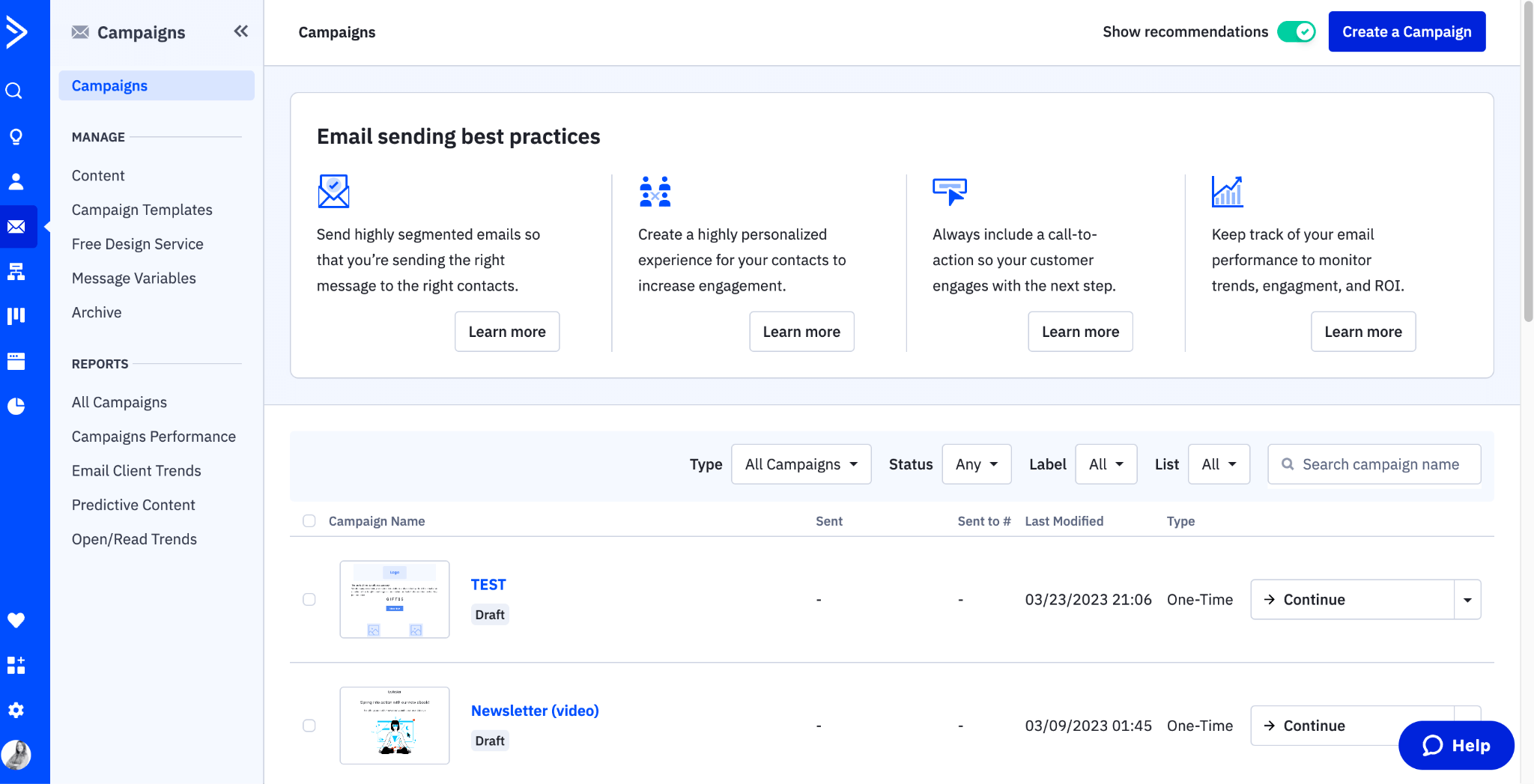
1. Email Marketing Platforms
What they are: Tools built primarily for sending marketing emails, newsletters, and automated campaigns to large lists.Best for:
- Monthly newsletters
- Educational drip campaigns
- Blog updates and content distribution
- General practice area campaigns to segmented audiences
- Lead magnets and downloads
- Mailchimp - Best for small firms just getting started
- Constant Contact - User-friendly, great for simple campaigns
- ActiveCampaign - More advanced automation, better for growing firms
- Mailerlite - Budget-friendly with solid features
- Not built for case management
- Limited CRM functionality
- Not practice-specific
- Harder to track client lifecycle
2. Legal CRM Platforms
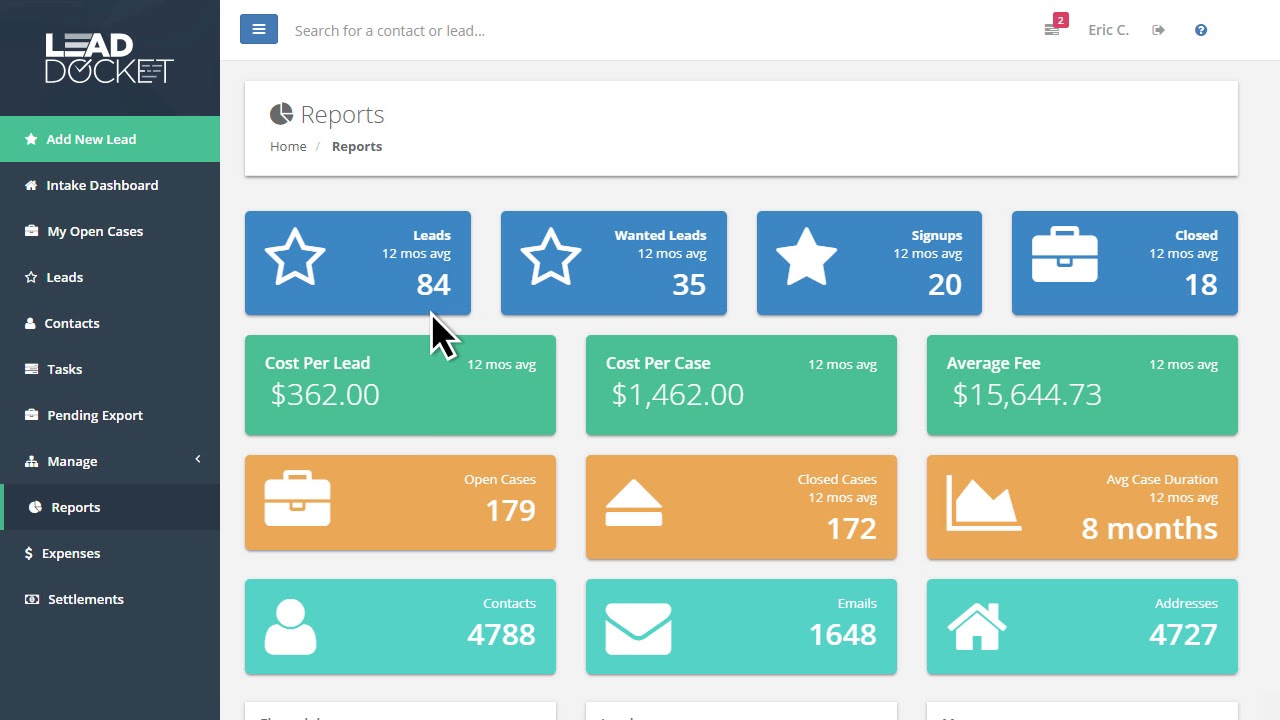
What they are: Customer Relationship Management systems built specifically for law firms to manage leads, consultations, and client relationships.Best for:
- Lead intake and qualification
- Consultation scheduling and follow-up
- Automated follow-up sequences
- Client pipeline management
- Integration with your website forms
- Clio Grow - Best all-around legal CRM, integrates with Clio Manage
- Lawmatics - Advanced automation, best for high-volume firms
- Lexicata (now part of Clio) - Solid mid-tier option
- HubSpot - Powerful but not law-specific (requires customization)
- PracticePanther CRM - Decent for smaller firms
- Custom intake forms
- Automated email sequences
- SMS/text messaging
- Calendar integration for consultations
- Lead source tracking
- Native website integration
- Two-way texting
- Pipeline/funnel visualization
3. Practice Management Software (with built-in CRM)
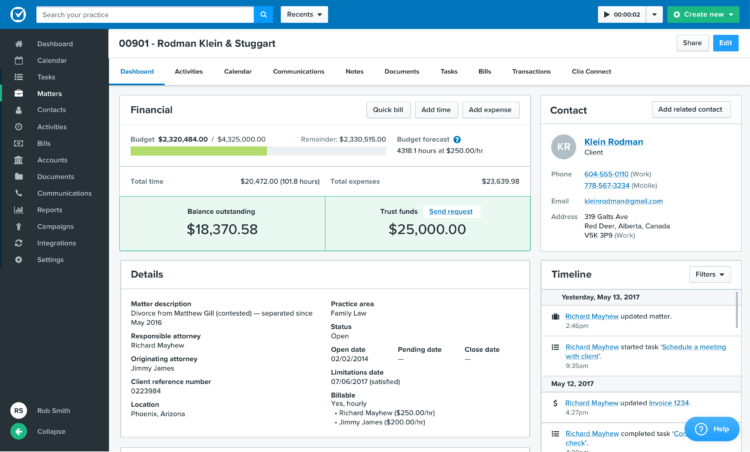
What they are: Comprehensive platforms that handle case management, billing, time tracking, AND client communication.Best for:
- All-in-one solution
- Case updates and client portal notifications
- Document requests and sharing
- Billing and payment reminders
- Internal workflows
- Matter-specific communication
- Clio Manage - Industry leader, most comprehensive
- MyCase - User-friendly, good for small to mid-size firms
- PracticePanther - Affordable, solid features
- Rocket Matter - Good for solos and small firms
- Smokeball - Best for small firms wanting automation
- CASEpeer - Best for personal injury firms specifically
- Client portal with automatic notifications
- Document sharing alerts
- Billing and payment reminders
- Case milestone updates
- Secure messaging
- Integration with your CRM or email platform
So Which Tools Do You Actually Need?
The answer depends on your firm size and budget, but here's our recommendation:For Solo Attorneys & Small Firms (1-3 attorneys):
Minimum setup:- Practice Management Software with built-in email: Clio Manage or MyCase
- Add a legal CRM: Clio Grow (if using Clio) or Lawmatics
Budget option:
- PracticePanther (all-in-one) + Mailchimp (free tier for newsletters)
For Growing Firms (4-10 attorneys):
Recommended setup:- Legal CRM: Lawmatics or Clio Grow
- Practice Management: Clio Manage or MyCase
- Email Platform: ActiveCampaign (for sophisticated nurture sequences)
For Established Firms (10+ attorneys):
Recommended setup:- Legal CRM: Lawmatics (enterprise tier)
- Practice Management: Clio Manage (Advanced or Complete)
- Email Platform: ActiveCampaign or HubSpot
- Marketing Automation: HubSpot (if budget allows for full suite)
Integration Matters: Make Sure Your Tools Talk to Each Other
The biggest mistake firms make is choosing tools that don't integrate well.Must-have integrations:
- Website forms → CRM (via Zapier or native integration)
- CRM → Practice Management Software (to transfer clients seamlessly)
- CRM ↔ Email Platform (for advanced segmentation)
- All tools → Google Calendar (for scheduling)
- All tools → your phone system (for call tracking)
- Clio Grow + Clio Manage (native integration)
- Lawmatics + Clio Manage (via integration)
- ActiveCampaign + most CRMs (via Zapier)
- HubSpot + most legal software (robust API)
Campaign Types by Platform: What to Run Where
Now that you know what tools you need, here's which campaigns to run in each platform.Campaigns to Run in Your Legal CRM:
Automated sequences:- Consultation request immediate response
- Consultation form abandonment recovery
- Lead qualification sequence
- Appointment confirmation & reminders (email + SMS)
- Post-consultation follow-up sequence
- Referral partner welcome & onboarding
- Reactivation campaign for cold leads
Campaigns to Run in Your Practice Management Software:
Automated sequences:- New client welcome series
- Client portal engagement emails
- Case milestone updates
- Document request reminders
- Payment & billing reminders
- Court date & important deadline reminders
- Internal team process automation
- Deadline & statute of limitations warnings (internal)
- Individual case updates
- Client satisfaction check-ins
- Specific document requests
Campaigns to Run in Your Email Marketing Platform:
Automated sequences:- Practice area specific newsletter (monthly)
- Seasonal legal reminders (annual)
- Lead nurture drip campaign by practice area
- Educational content series
- Monthly firm newsletter
- Legal updates or law changes
- Firm announcements
- Event invitations (webinars, seminars)
- Holiday greetings
Campaigns to Run Across Multiple Platforms:
Some campaigns work best when split between systems:
Past client engagement:
- CRM: Track who's a past client, segment by practice area
- Email platform: Send monthly check-ins and newsletters
- Practice management: Pull closed case data
- Practice management: Trigger based on case closure
- CRM: Track NPS scores and segment satisfied vs. unsatisfied
- Email platform: Send follow-up nurture to detractors
- CRM: Onboard new partners, track referrals
- Email platform: Monthly nurture newsletters
- Practice management: Case update notifications on referred matters
Email Marketing Compliance for Law Firms
Before you hit send on any campaign, you need to understand the rules. Law firm email marketing is governed by federal anti-spam law and state bar advertising rules, and getting it wrong can mean fines, disciplinary action, or both.
CAN-SPAM Act Requirements
The federal CAN-SPAM Act applies to every commercial email your firm sends. Every message must include your firm's physical mailing address, a working unsubscribe mechanism that processes opt-outs within 10 business days, and accurate "From" and subject lines that don't mislead recipients. You cannot use harvested email addresses or send to purchased lists without prior consent. Violations carry penalties up to $51,744 per email.
State Bar Advertising Rules
Most state bars classify marketing emails as attorney advertising, which means extra rules on top of CAN-SPAM. The ABA Model Rules of Professional Conduct (Rules 7.1 through 7.3) prohibit misleading communications about legal services and impose restrictions on direct solicitation. In practice, this means your emails cannot guarantee outcomes ("We win every case"), make unverifiable claims, or use misleading testimonials.
Specific requirements vary by state. For example, some jurisdictions require emails to include the words "ADVERTISING MATERIAL" in the subject line when contacting prospective clients who haven't previously engaged with your firm. Others require you to keep copies of all marketing emails for a set retention period (typically two to five years). California's SB 37, effective January 2026, introduced new disclosure requirements for attorney advertising that apply to digital communications including email. (We wrote a complete breakdown of SB 37 for law firms.)
Practical Compliance Checklist
Before you hit send on any campaign, verify:
- ✓ Your firm's physical address is in the footer
- ✓ The unsubscribe link works and is easy to find
- ✓ No language guarantees case outcomes or results
- ✓ Any case results mentioned include appropriate disclaimers
- ✓ Subject line accurately reflects the email content
- ✓ You're maintaining records of all sent campaigns
Sending to prospective clients in multiple states? Apply the strictest standard across all jurisdictions.
Law Firm Email Marketing Benchmarks
Without benchmarks, you have no idea whether your campaigns are working or bleeding money. Here are the numbers that matter, based on industry data from Mailchimp and Campaign Monitor.
| Metric | Industry Avg | Legal Services | Warning Sign |
|---|---|---|---|
| Open Rate (newsletters) | 21.3% | 22-25% | Below 18% |
| Open Rate (transactional) | 30-40% | 35-45% | Below 25% |
| Click-Through Rate | 2.1% | 2.4-3.5% | Below 2% |
| Consultation Bookings (nurture) | N/A | 0.5-1.5% | Below 0.3% |
| Consultation Bookings (reactivation) | N/A | 3-5% | Below 1% |
| Bounce Rate | 2-5% | Below 2% | Above 2% |
| Unsubscribe Rate | 0.3-0.5% | Below 0.5% | Above 0.5% |
| Spam Complaint Rate | 0.05-0.1% | Below 0.1% | Above 0.1% |
If your open rates are above 30% on marketing emails, you're doing something right. If your click-through rate is consistently below 2%, revisit your calls to action. They may be too vague, too buried, or not aligned with what the reader actually wants to do next. Clean your list quarterly to keep bounce rates healthy, and if spam complaints spike, pause sending and diagnose before your sender reputation takes a permanent hit.
Not sure where to start? We help law firms pick the right campaigns, choose the right platform, and get everything running. Get a free growth plan →
Frequently Asked Questions
Yes. Email marketing delivers an average ROI of $36 for every $1 spent according to Litmus, and law firms typically see even higher returns because of high client lifetime values. A single retained client or referral from an automated email sequence can be worth thousands in billable hours.
Most law firms get the best results sending 2-4 emails per month to their general list (newsletters, legal updates, case results) plus automated sequences triggered by specific actions like form submissions or consultations. Transactional and case-update emails should go out as needed. Consistency matters more than frequency.
It depends on your firm size and needs. For solo practitioners and small firms, Mailchimp or ActiveCampaign offer affordable automation. Mid-size firms benefit from legal CRM platforms like Clio Grow or Lawmatics that combine email with intake workflows. Large firms should consider enterprise platforms like HubSpot that integrate with practice management systems.
Yes. Attorney emails are subject to both federal regulations (CAN-SPAM Act) and state bar advertising rules. Every marketing email must include a physical mailing address and a working unsubscribe link. Many state bars also require advertising disclaimers, prohibit guarantees of outcomes, and mandate record-keeping of all solicitation emails. Always check your state bar's specific rules before launching email campaigns.
Lead nurture sequences, reactivation campaigns for past leads who didn't retain, and referral request emails tend to generate the most cases. All three target people who already know your firm, so conversion rates are much higher than cold outreach.
Start with engagement metrics (open rates, click rates), then track conversions (consultation bookings, form fills from email links). The real answer comes from matching signed cases back to email touchpoints in your CRM. Use UTM parameters on all email links and match them against your intake data. Most legal CRMs can attribute new matters back to specific email campaigns.
Final Thoughts: Email Marketing Is Your 24/7 Associate
Most law firms are leaving money on the table.They spend thousands on Google Ads, SEO, and lead generation, but don't have systems in place to convert, nurture, and retain those leads.
Email automation is your unfair advantage. While your competitors are manually chasing leads and hoping past clients remember them, you're running a systematic machine that:
- Qualifies leads before you talk to them
- Follows up consistently without lifting a finger
- Nurtures prospects until they're ready to hire
- Keeps past clients referring new business
- Maximizes the ROI of every marketing dollar
Start small. Pick 2-3 campaigns from Phase 1. Get them running. Then build from there.
Within 90 days, you'll wonder how you ever ran your firm without this system.
Need Help Implementing Email Marketing for Your Firm?
At WEBRIS, we specialize in lead generation and client acquisition for law firms. We don't just build the campaigns. We implement them, integrate them with your existing systems, and optimize them for maximum ROI. We also handle law firm website design to make sure your site converts the traffic these emails drive.
Our email marketing services include:
- Complete campaign strategy and mapping
- Custom email template design and copywriting
- CRM and email platform setup
- Integration with your website and practice management software
- Ongoing optimization and reporting
Let's build an email marketing system that works as hard as you do.