If you’re a law firm owner, you’ve probably heard the buzzword “automation” thrown around constantly. Maybe you’ve even tried setting up a few automations yourself, only to find they feel robotic, impersonal, or just don’t work the way you expected.
Here’s the truth: law firm automation done right doesn’t replace the human touch—it amplifies it. When implemented correctly, automations free up your team to focus on high-value activities like client consultations and case strategy, while the repetitive, time-consuming tasks run seamlessly in the background.
These aren’t theoretical concepts—they’re working systems that are generating more reviews, increasing answer rates, and recovering contracts that would have otherwise gone unsigned.
Understanding Law Firm Automation: Traditional vs. AI-Powered
Before we get into the specific automations, it’s important to understand that there are two distinct types of automation available to law firms today:
Traditional Automation
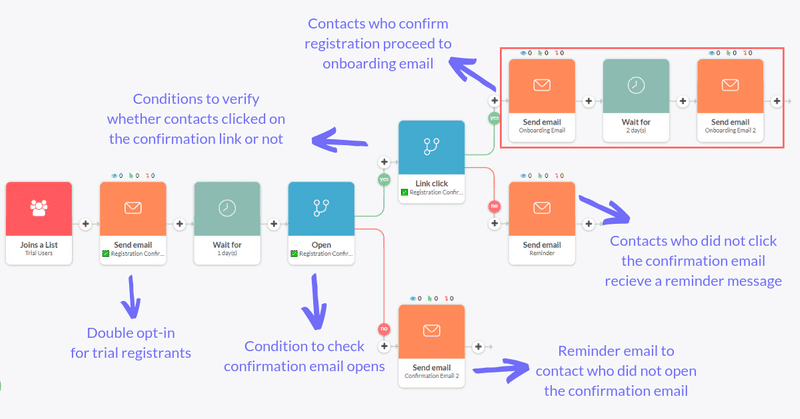
These are linear, rule-based systems that follow “if this, then that” logic. For example: “If a contract is sent, then send a follow-up email 24 hours later.” These automations have been around for years and are incredibly effective for repetitive, predictable tasks. They require no coding and can be set up using platforms like Zapier, Go High Level, or Make.
AI-Powered Automation (AI Agents)
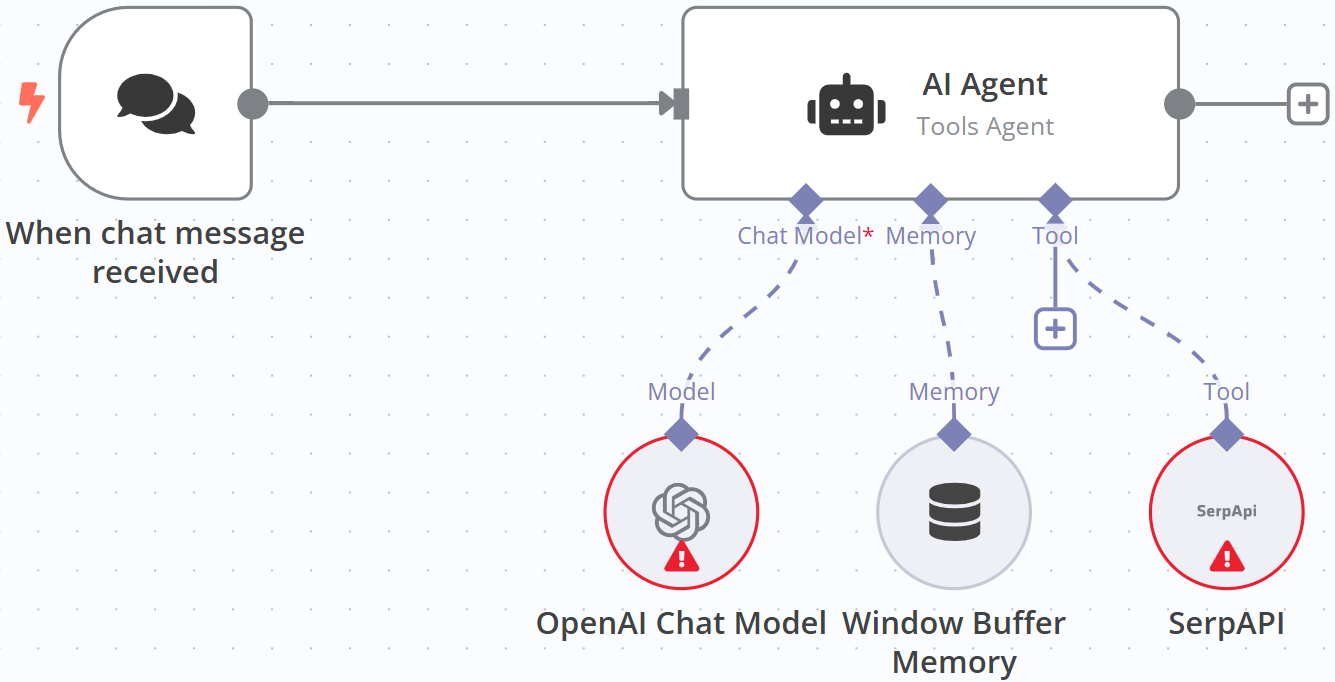
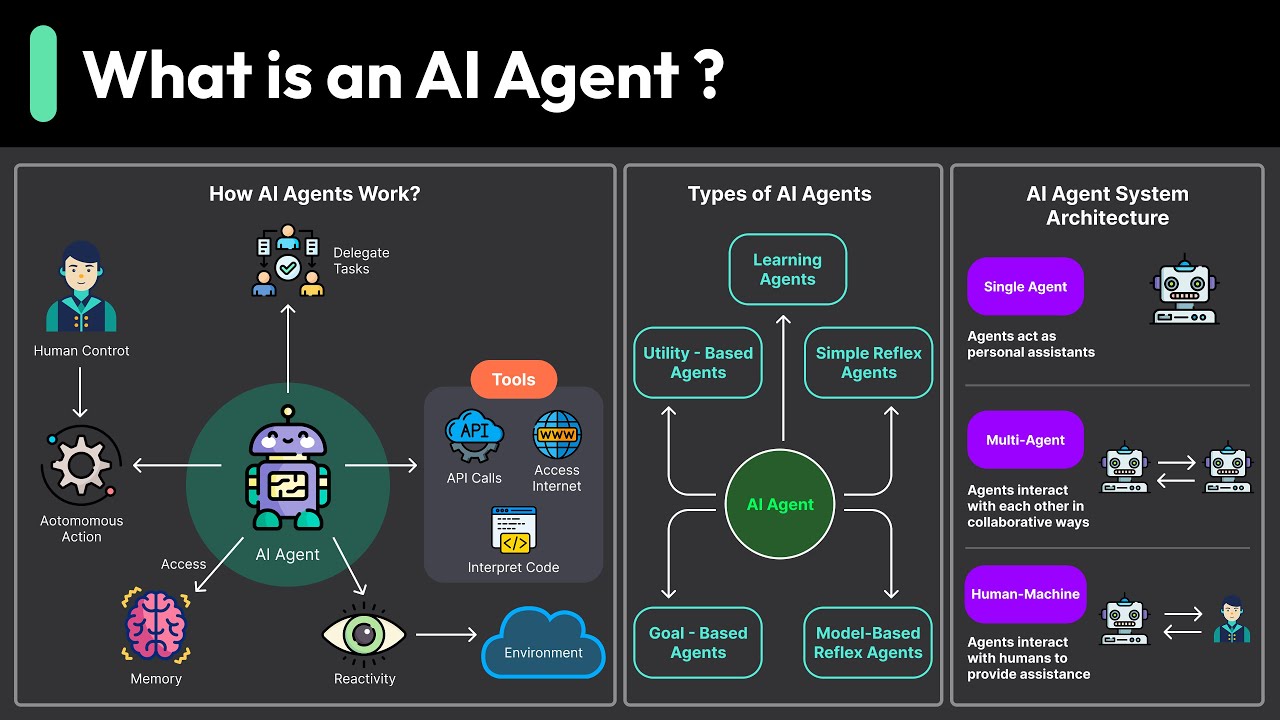
This is the next frontier. AI agents use language models like Claude or ChatGPT to analyze context, make decisions, and personalize responses. Instead of sending the same templated email every time, an AI agent can review previous conversations, understand the prospect’s situation, and craft a custom follow-up message that feels genuinely personal.
Both types have their place in a modern law firm’s tech stack. The key is knowing when to use each one.
Automation #1: Review Collection System (With Smart Filtering)
The Problem: Most law firms struggle to collect reviews consistently. Attorneys are busy, staff members forget to follow up, and clients need multiple reminders before they actually leave a review.
The Solution: An automated review collection system that triggers whenever a case closes or reaches a specific milestone.
Here’s how it works:
Trigger: When a case status changes to “closed” in the firm’s CRM (in this case, Clio), the automation initiates
Initial Outreach: The system sends both a text message and email thanking the client and requesting a review
Smart Filtering (NPS Survey): Before sending clients directly to Google, the automation asks them to rate their experience on a 1-5 scale
Routing Logic:
4-5 star ratings → Directed to Google Business Profile, Avvo, or another public review platform
1-3 star ratings → Directed to an internal feedback form (not public-facing)
Why This Works:
This automation protects your online reputation while maximizing review volume. Unhappy clients can still voice their concerns, but those complaints are captured internally where you can address them privately rather than publicly.
For the criminal defense firm we worked with, this system has been a “game changer” in their words. They’re now consistently generating reviews across multiple locations, and because they can control which Google Business Profile the reviews go to, they can strategically build up newer locations that need ranking momentum.
Pro Tip: Don’t rely solely on automation for review collection. The best results come from combining automated follow-ups with personal phone calls from staff members. The automation serves as a fail-safe to catch reviews from clients you might not reach by phone.
Automation #2: Pre-Call Warm-Up Sequences
The Problem: Attorneys call prospects back, but the prospects don’t answer. Why? Because they don’t recognize the number, they’re busy, or they’ve already moved on to another attorney.
The Solution: An automated pre-call warm-up sequence that primes prospects to expect and answer the attorney’s call.
Here’s the workflow:
Trigger: Intake team pre-qualifies a lead and changes the status in Clio to “needs callback”
Immediate Automation: The prospect receives a text message and email that:
Introduces the attorney by name
Provides credibility markers (experience, case results, video testimonial)
Sets the expectation that the attorney will be calling soon
Attorney Calls: When the attorney calls, the prospect now recognizes the context and is more likely to answer
Why This Works:
Think about your own behavior. Do you answer calls from unknown numbers? Most people don’t. We’re all bombarded with spam calls, so unknown numbers default to voicemail.
This automation solves that problem by providing context before the call happens. The prospect has just received a text and email about the attorney, so when that call comes through, they’re primed to pick up.
Since implementing this system, the criminal defense firm saw a significant increase in answer rates—meaning more conversations, more consultations, and ultimately more signed cases.
Automation #3: Contract Follow-Up Sequences
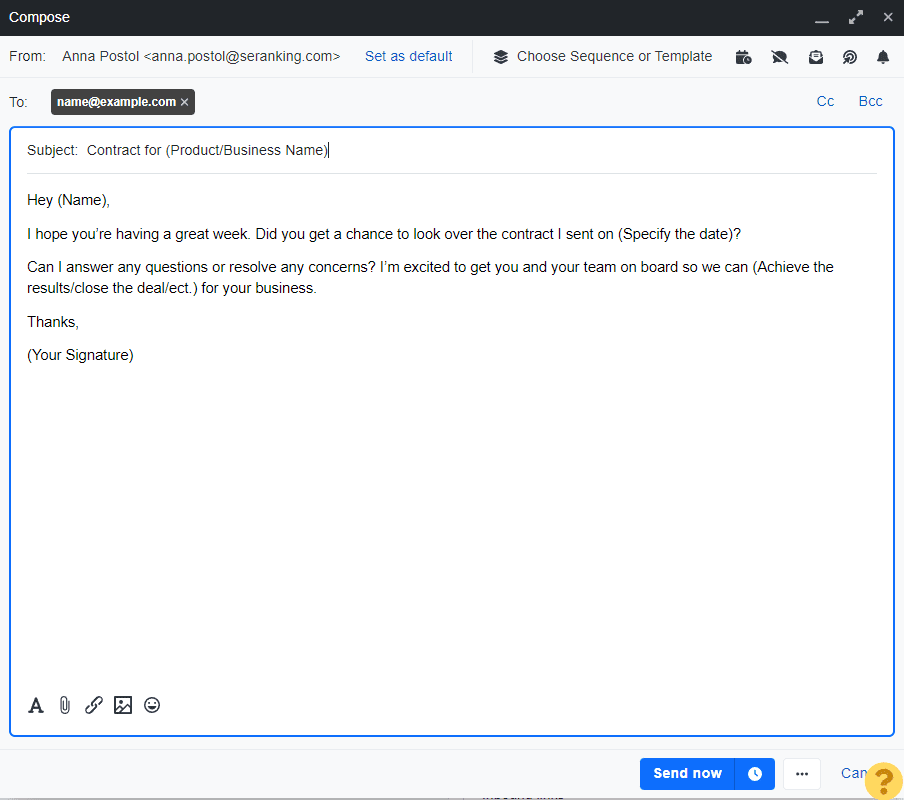
The Problem: A prospect verbally agrees to hire you. The contract gets sent. And then… crickets. Days go by, then weeks, and the contract never gets signed. These “contract out” leads represent lost revenue that should have been closed business.
The Solution: An automated follow-up sequence specifically for unsigned contracts.
Here’s how it works:
Trigger: Contract status in Clio changes to “contract sent”
24-Hour Wait: If no signature within 24 hours, first follow-up goes out
48-Hour Wait: If still no signature, second follow-up is sent
72-Hour Wait: Final reminder goes out
Messages: Each follow-up includes a friendly reminder, the benefits of moving forward, and a direct link to sign
Why This Works:
Here’s what we often forget as business owners: prospects have busy lives. They’re dealing with their own stress (which is why they need a lawyer), managing work and family obligations, and juggling multiple priorities.
Just because they didn’t sign immediately doesn’t mean they’re not interested. Often, they simply need a gentle reminder.
This automation recovered multiple cases for our client that would have otherwise fallen through the cracks. Even if it only nets one extra case per month, the ROI is massive when you consider these are qualified prospects who already verbally agreed to hire the firm.
Automation #4: Lead Source Tagging & CRM Integration
The Problem: Leads come in from multiple sources—Google Ads, Facebook Ads, organic search, referrals—but there’s no systematic way to track which sources are actually converting into paying clients.
The Solution: Automated lead tagging that captures source data and pushes it into your CRM.
This is a simpler automation but incredibly impactful. Here’s what it does:
Capture: When a lead fills out a form on your website or landing page, the automation captures the traffic source (Google Ads, Facebook, organic, etc.)
Tag: The lead is automatically tagged with that source information
Push: All lead data, including source tags, is pushed into your legal CRM (Clio, Lawmatics, Lead Docket, etc.)
Track: You can now run reports to see which marketing channels are generating the most revenue, not just the most leads
Why This Works:
Marketing and intake need to work together, not against each other. This automation creates visibility into what’s actually working in your marketing campaigns.
Without this data, you’re flying blind. You might be spending $10,000/month on Google Ads without knowing if those leads are converting. This automation gives you the insights needed to make informed decisions about where to allocate your marketing budget.
Automation #5: New Lead Nurture Sequences
The Opportunity: When a new lead enters your CRM, there’s a window of opportunity to educate, nurture, and guide them through your process before they even speak with your team.
The Solution: Automated welcome sequences that provide value and set expectations.
When a new contact is created in your CRM, they automatically receive:
Welcome Message: Acknowledging their inquiry and outlining next steps
Educational Content: Resources relevant to their legal issue
Process Explanation: What to expect when working with your firm
Social Proof: Links to reviews, case results, or attorney credentials
Appointment Reminders: If they’ve scheduled a consultation
These messages can be sent via email and/or text message, depending on what information you captured during the intake process.
Why This Works:
First impressions matter. This automation ensures every lead has a positive, professional experience from the moment they enter your system—even before they speak with a human.
It also sets your firm apart. Most law firms don’t do this, so when a prospect is comparing multiple attorneys, your firm stands out as more organized, responsive, and professional.
Bonus: The Future of Law Firm Automation (AI Agents)
The five automations we’ve covered are traditional, linear automations. They’re powerful, reliable, and should be the foundation of any law firm’s automation strategy.
But there’s an emerging category that’s even more exciting: AI agents.
AI agents take automation to the next level by adding a “brain” to the process. Instead of sending the same templated message every time, AI agents can:
Analyze previous conversations with a prospect
Understand the context and sentiment of those conversations
Generate personalized follow-up messages based on that analysis
Make decisions about what action to take next
For example, if a prospect responds to your contract follow-up saying “I need 30 days to get the money together,” an AI agent can understand that response, wait 30 days, and then send a custom follow-up that references the previous conversation.
We’re building custom AI agents for clients to handle everything from content creation to sales follow-ups, and the technology is advancing rapidly. The only limitation is creativity.
How to Get Started With Law Firm Automation
If you’re not using any automations right now, start with the low-hanging fruit:
Review collection automation – This has the fastest ROI and directly impacts your local SEO rankings
Lead source tagging – Essential for understanding your marketing ROI
Contract follow-ups – Recovers revenue you’re currently leaving on the table
You don’t need to be technical to implement these. Platforms like Go High Level, Zapier, and Make allow you to build automations with no coding required. Alternatively, if you want a done-for-you solution, agencies like ours can build and manage these systems for you.
The key is to start. Every day without these automations in place is a day you’re losing leads, missing out on reviews, and working harder than you need to.
Final Thoughts
Law firm automation isn’t about replacing the human element—it’s about enhancing it. The best firms are using automation to handle repetitive tasks so their teams can focus on what actually requires human judgment, empathy, and expertise.
The criminal defense firm we profiled in this post is a perfect example. By implementing these five automations, they’ve:
Dramatically increased their review volume
Improved prospect answer rates
Recovered contracts that would have gone unsigned
Gained visibility into which marketing channels actually drive revenue
Created a better experience for every lead that enters their system
If you’re ready to implement these automations in your law firm, we’d love to help. Book a free strategy call with our team and we’ll walk through exactly which automations would have the biggest impact for your specific practice area and business model.
You’re Missing Out On Leads!
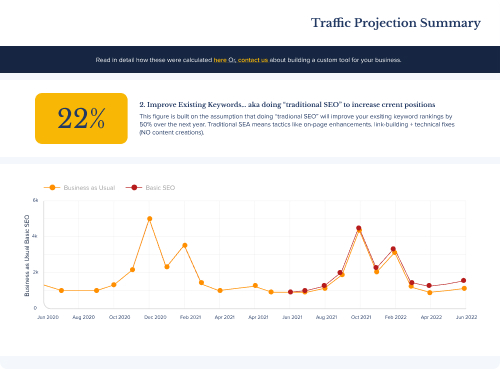
Our Traffic Projection Tool Will Show Your Website’s True Potential (aKA How Much Money You Should Be Making).
Using data from your website, our Traffic Projection analysis can accurately forecast how much traffic (and revenue) your website could be getting from Google.